
The link to my store's product is not accepted
How to copy the right link to your product and what each message under the link field means.
To send the reviews, the extension needs the link to the product in your store, as a customer sees it. Open your store, go to the product page and copy the address from the browser bar. It starts with your store address, for example yourstore.com/products/t-shirt. If the link is not valid, the message shows up under the field, before you send.
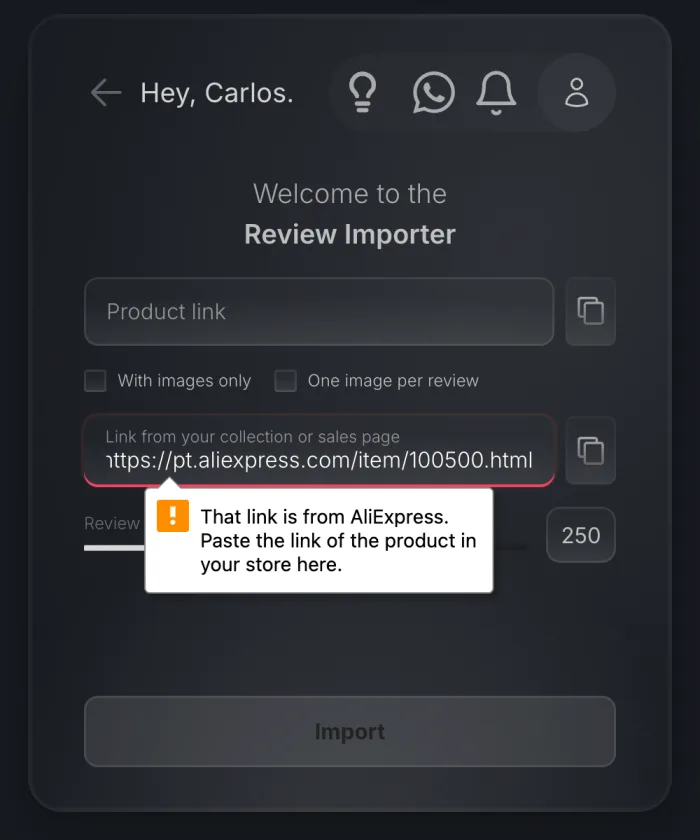
That link is from AliExpress. Paste the link of the product in your store here.
Enter the link of the product in your own store here, not the AliExpress, Shopee or other marketplace link.
It can also read:
What to do: This field takes the link to your store, not the product the reviews came from. The extension already saved the AliExpress, Shopee or other marketplace link when you imported.
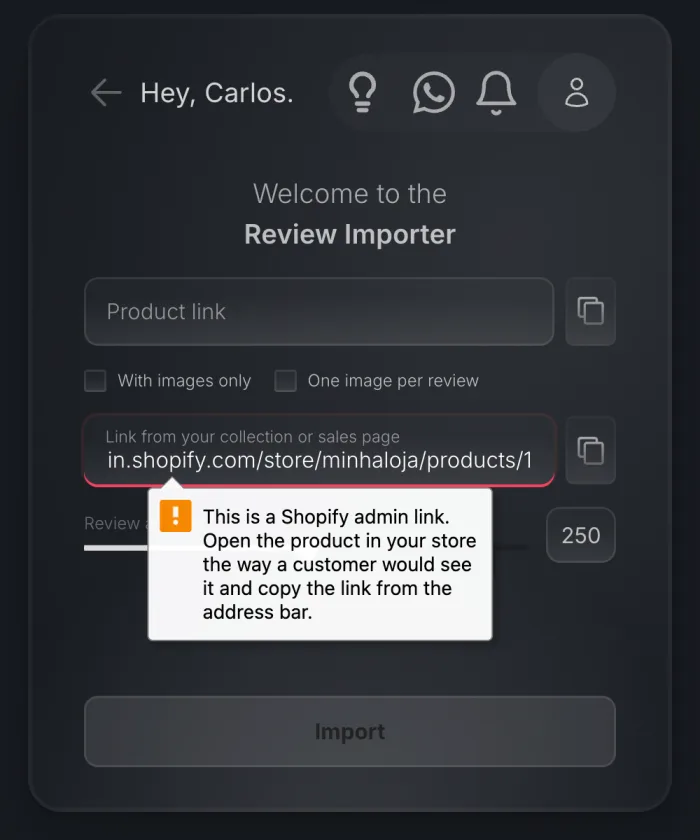
This is a Shopify admin link. Open the product in your store the way a customer would see it and copy the link from the address bar.
This is a Nuvemshop admin link. Open the product in your store the way a customer would see it and copy the link from the address bar.
It can also read:
What to do: Links that start with admin.shopify.com or with the Nuvemshop admin address belong to the admin, not the store. In the admin, click to view the product in your store and copy the link of the page that opens.
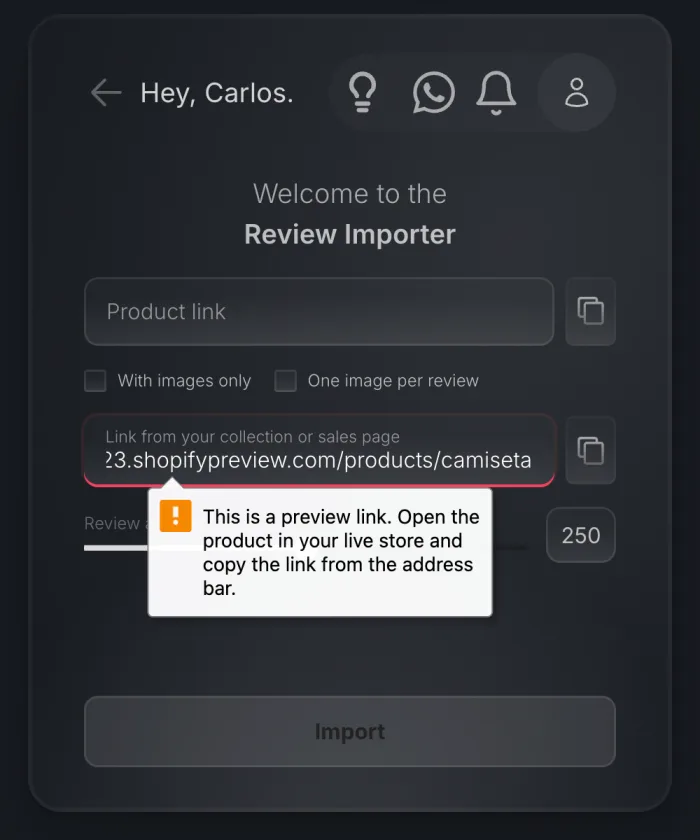
This is a preview link. Open the product in your live store and copy the link from the address bar.
What to do: Preview links (with shopifypreview.com) change and can't be used to send. Open your published store and copy the product link.
This link isn't from a Wix product page. Open the product in the store and copy the link from the address bar.
What to do: On Wix, the link must be the product page, not the home page or a category. Click the product in your store and copy the link from the browser bar.
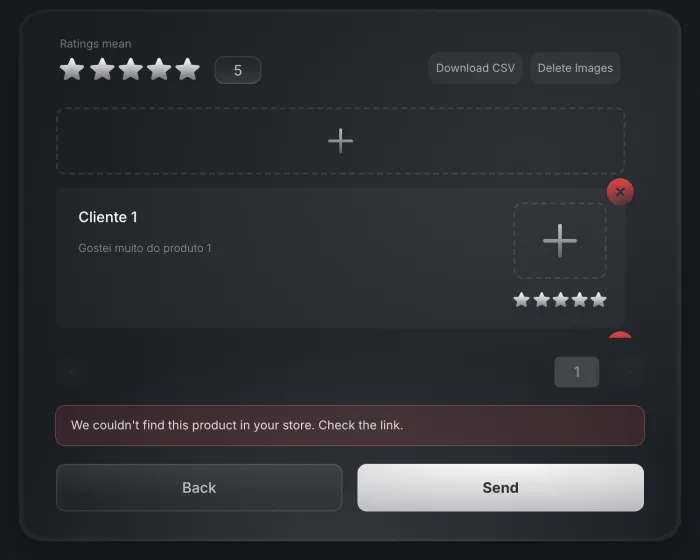
We couldn't find this product in your store. Check the link.
What to do: Open the link in a tab. If the page says the product doesn't exist, it was deleted, moved or isn't published yet. Publish the product and copy the link again.
If the message keeps showing up
If the message keeps showing up, click Contact support in the message window or the WhatsApp icon at the top of the extension and send us a screenshot.
See also
Didn't find the answer?
Talk to our support team on WhatsApp or by e-mail at suporte@bkreviews.com.br
 Chat on WhatsApp