
The extension couldn't open my product
Messages for when the product page in your store doesn't open, doesn't load or blocks access.
To send, the extension needs to open the product page in your store. Stores with a password, slow pages and the store's security blocks prevent that. Keeping the product open in a tab while you send almost always fixes it.
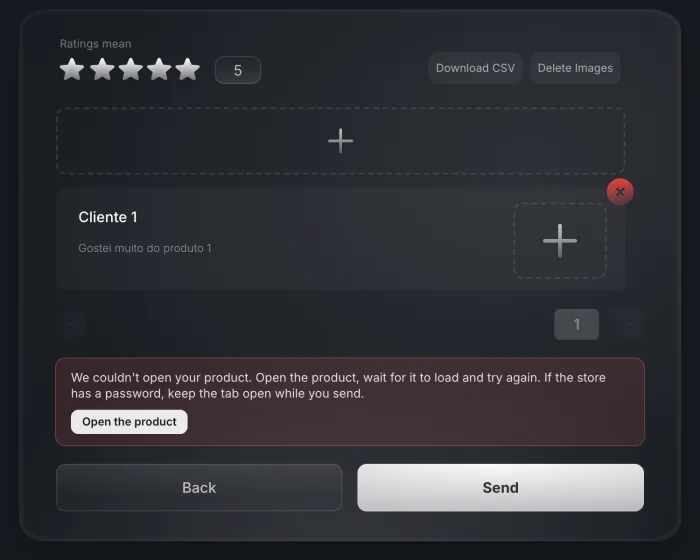
We couldn't open your product. Open the product, wait for it to load and try again. If the store has a password, keep the tab open while you send.
We couldn't open your product. Open the product, wait for it to load and try again.
It can also read:
What to do: Click Open the product, wait for the page to load completely and send again without closing that tab. If your store has a password, enter it in that tab before sending.
On Wix, the product has to be open in a tab. Open the product, wait for it to load and try again.
The product page didn't finish loading. Wait for it to load completely and try again.
It can also read:
What to do: On Wix, the extension reads the store data from the open tab. Click Open the product, wait until the photos and the price show up and send again.
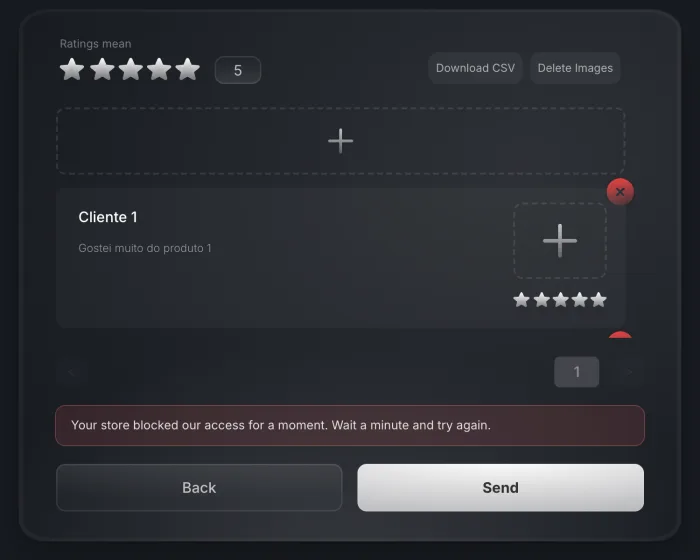
Your store blocked our access for a moment. Wait a minute and try again.
What to do: Your store platform limits how many times a page can be opened in a short time. Wait a minute and send again. If you are sending many products in a row, take a short break between them.
We couldn't open this link. Check that it opens in your browser and try again.
What to do: Open the link in a tab. If it doesn't open for you either, the store may be down or the domain may have changed. If it opens normally, wait a minute and send again.
If the message keeps showing up
If the message keeps showing up, click Contact support in the message window or the WhatsApp icon at the top of the extension and send us a screenshot.
See also
Didn't find the answer?
Talk to our support team on WhatsApp or by e-mail at suporte@bkreviews.com.br
 Chat on WhatsApp